SEO at a Glance [INFOGRAPHIC]

by

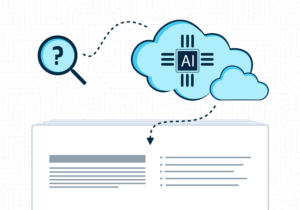
Optimizing your website for search is so important. You want to make sure the right people are finding your site for the right things. In this Infographic below we try to show you all the different aspects of optimizing your website.

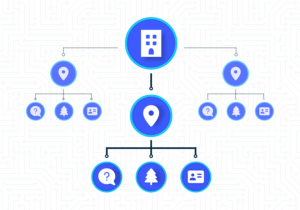
Your process needs to start with keyword research and validation. You want to target the best performing keywords to make sure you are connecting with the right customers. Next you want your site architecture and structure to be very usable to website visitors and easy to read for search engines. Each page of your site also should have a variety of page elements optimized like the page URL, meta description, page titles and more.

After you have your site set up correctly and optimized, you want to make sure people are finding it and linking to it. Inbound links from other sites shows search engines that you are an authority on your topic. Adding valuable content and building inbound links is great for SEO. Last but not least, you need ongoing assessment, adjustments and validation that your site is performing the way you want it to. SEO isn’t a ‘set it and forget it’ form of marketing. The internet, your users and search engines are always changing – regularly check back and make adjustments to your site as necessary.

Organic Search Marketing (SEO)
Hall Internet Marketing – SEO At A Glance

You can embed this infographic on your blog or website just by copying and pasting the code below:


Pizzazz your Website with SOUND!

by

Wireless Radio TowerAs a lover of all things audio (and the podcasting format in particular), it was with great joy that I read a SiteProNews newsletter article on “Enhancing Web Effectiveness with Sound Design.”

Audio has a powerful effect on an audience. The internet has a powerful effect on an audience. And whoever said “ne’er the twain shall meet?”

We’ll be talking more and more about using web video to make a powerful impression, but let’s not forget that even though the moving pictures make a movie, an, uh, “move”-ie, the audio is just as important.

If not more.

The thing about audio is that it captures your mind and is cheap to produce. You can put it on your ipod and take it with you to the gym, take it on the bus and enjoy it while driving. Try the same with a movie and you run into problems.

Also, the file size of audio is much smaller than video, which in turn lowers the bandwidth expense of adding video to your site… and increases how many people can effectively enjoy it with a primitive connection.

Audio is not for everything, but for the right offer, it can be transformative. For example:

  • Have your actual customers voice their testimonials
  • Create a voice-version as an alternative to text on your website… great for people with limited patience or with a vision impairment
  • Jazz up descriptions of your products with professional narration of key selling points and some tactfully used effects and music
  • Create a weekly podcast covering hot topics about your industry (hey, it works for us)
  • Use audio as training or learning materials to accompany webinars, webcasts, or PDFs

And that’s just brainstorming for a minute or two — the point is, there’s a way you can use it on your site, and the uses of audio are only limited to your imagination. Which, by the way, is the canvas of audio.

How to Pick a Podcast Reader and Subscribe Today!

by

As a de facto podcast fanatic, I have to admit that the choice of podcast readers out there is a little underwhelming. Unlike blogging, where you’ve got everything from Google’s customizable homepage, plug-ins for Outlook, plug-ins for Firefox, and standalone RSS readers, finding the right combination of functionality and ease of use in a podcast reader can be frustrating. Whether you’re looking for a better way or subscribing to a podcast for the first time, this guide will help you spend less time searching and more time listening!

iTunes Store - Podcast Reader

iTunes

Summary: The juggernaut of podcast applications, indeed, the genesis of the phrase “podcast” is Apple’s iTunes. iTunes boasts what’s likely the biggest podcast directory out there, and the most store-like browsing experience for podcasts. If you’re interested in hearing some podcasts, but aren’t sure what you really want or where to start, iTunes is the way to go.

Subscribing to a Podcast:
About as simple as it could be… from within the iTunes store. Search or browse until you find a podcast you like, and click the conveniently labeled “subscribe” button. iTunes will add it to your library and will automatically start downloading recent episodes. Download more episodes by clicking a dropdown and hitting the “get” button.

From the web, it’s a little more difficult. Conscientious podcasters will have a iTunes-specific RSS link with the proper itpc: protocol. If all you’ve got is an RSS feed, you’ll need to copy that feed, boot up iTunes, hit “Advanced,” “Subscribe to Podcast,” and punch in the RSS feed you have.

Juice, Open-source Podcast Reader

Juice

Summary: Leaner and meaner than iTunes is Juice, a cross-platform podcast reader that makes life a little easier for the advanced user. You can easily add RSS feeds by address, pick episodes you want to download, and browse a boring-looking, but functional, directory of an umpteen-million podcasts. What I don’t like so much about Juice is that it tends to go wild with downloads — you can’t easily start/stop downloads, or control in what order things are downloaded.

Subscribing to a Podcast: Simple as pie… if you know where to track down the RSS feeds. Though you can configure the software to grab feed names from your web browser, it’s not easy to differentiate news feeds from podcast feeds. You’re better suited to copy the RSS address to the clipboard, open up Juice, and click the (+) icon in the subscription tab to add your feed.

Media Monkey, Audio Library and Podcast Reader

Media Monkey

While it masquerades as a gun-toting, hip-banging, jack-of-all-trades MP3 library manager and media player, Media Monkey is ALSO a podcast reader. Seriously, I’ve loved this program for a while and its very flexible podcast features really sweeten the deal.

MediaMonkey is similar to iTunes in that it is a complete manager for all your media files — MP3 files, iPod syncing, etc. — but it also features some powerful features such as CD burning/encoding/recoding, and the ability to plug-in META information and tags for your files quickly, intuitively, and easily. Podcasts are available both as subscriptions in a separate podcast area of the program or in your standard MP3 library. You’re able to very specifically tell the program how you want to handle your files — e.g. don’t download things automatically, download every so often, pause downloads and more.

Subscribing to a Podcast: Comparable to Juice. You need to know the RSS feed you’re looking for and then you just choose a “Subscribe to new Podcast” option from within the program. Punch in the feed address and you’re done. It also is hooked up into some massive podcast directories so if you want to browse programming without exploring the world wide web, you’re able to do so.

While there are PLENTY more podcast readers out there, three’s a nice number and these programs are about the cream of the crop. Depending on your comfort level, you can go for full keel, lean and mean, or a combination thereof. Whatever the program you use, pick out the feeds you want and get listening!

Just in case you missed, you may also want to check out our “How to Subscribe to a Blog” post too!