A Morning with Google: The Scoop

by

Scoop of Ice CreamIt’s not often that you get to see a real Google big wig in the flesh – much less, here in Portland, Maine. Earlier this month we had the pleasure of meeting and gaining a few pearls of wisdom (and hints of what’s to come) from Steve Arthur, Google’s Head of Industry: Retail at the Ad Club of Maine’s Google This! event. He had some interesting things to say so I thought I’d recap the main takeaways and a few things that may be on the horizon.

It’s Not Just About the Hard Sell

Gone are the days of the hard sell. People research everything now. And the evolution of online search, shopping apps and other technology has empowered consumers in a way that makes standing out from the crowd essential. Drawing people in and grabbing them with stories and experiences is becoming more and more important than ever. Arthur cited Fab.com, ModCloth.com and others as sites that are doing this well.

What Happens on the Internet Influences In-store Decisions

It’s no secret at all that consumers have become increasingly connected thanks to mobile devices and the roles they play in people’s daily lives. This means that we as marketers have the opportunity to reach our customers in more ways than ever before, throughout their daily routine, making the internet even more influential to offline sales, not just online sales. It’s important that retailers (and business owners alike) think of their site as a path to purchase, not just an online storefront.

Thinking beyond the basic conversion and looking at the bigger picture is essential. We need to remember to consider multiple customer interaction points as conversions and assign these conversions with different values. It’s not as simple as “they came, they browsed, they purchased” anymore. Arthur cited King Arthur Flour as a brand that is doing this well by integrating multiple onsite interaction points: video views, chatter, recipe page views, bakers hotline requests…the list goes on and on.

Attribution and Mobile Don’t Always Mix

Increased mobile adoption is great, but we could do without the attribution challenges it brings. Think about it: If you access a website from your work computer, mobile phone, tablet and your home desktop computer, you’ve got four sets of cookies floating around for one person. Arthur mentioned that they are hoping that Chrome log-ins can help them to create models that will eventually enable them to better understand user behavior and return on investment. It will be interesting to see how Google attempts to improve upon this.

Oh Yeah, And Self Driving Cars? Sooner Than You Think.

Less internet marketing-related, but a fun tidbit. Self-driving car technology could be here sooner than we imagine. Wonder how they’ll integrate that into their advertising platform… 

Photo credit: TheCulinaryGeek

Google+ Updates – Four Features to Care About

by

Google+ Cover Photo ChangeLast week on March 6th Google added new features to its social site that caused a lot of stir in the continuous Facebook vs. Google+ showdown. While the notification and buzz around these changes are important, there are only three major things that will make a big difference in the way the system currently operates. Here we will tackle what the changes are, and how they will affect your business.

  1. Cover Photo - This is the easiest change to spot, and oddly enough, the most griped about (slight) alteration. Cover Photos have now almost doubled in size and require dimensions up to 2120px by 1192px.
    What this means:  more options for you! Instead of the banner-style limitations from before, more variety in images can be utilized showing off locations, products, or anything your imagination can create.
  2. About Tab - The “about you” within Google+ profiles now includes separate boxes for different information that you want to share. For instance, Story, Places and Links all have their own boxes with their own edit fields.
    What this means:  You have the option to share only specific boxes to certain people in your circles, or have the information be private only to you.
  3. Banner Info - On your cover photo, in the bottom of your image you will now see company logos cropped to fit in circles. Business information such as the name and contact information is also presented right on the cover photo.
    What this means- now current and potential customers don’t have to hunt for the information they immediately need.  Also, address, phone numbers, and business hours are displayed in a no-nonsense fashion.
  4. Reviews Tab – In my opinion, this is the most important and drastic change Google+ made to its network.  On the personal profile side of things, you now have the option to display your personal reviews written about the businesses you have visited for all your friends to see. For business pages, owners now have the option to remove the reviews tab completely off their listing.
    What this means:  Personal review highlighting will continue to encourage more of a community, not only among online friends but with the physical community right outside our doorsteps. For businesses this is a HUGE change, and here’s why: If you happen to be a business with a terrible online reputation and several bad reviews, you can chose to eliminate your reputation entirely thus saving yourself from turned off potentials. To Note- This does not necessarily mean that the ranking factors for local search have been altered. The number of reviews you have is still very important. We will conduct testing in the future to see if hiding your Google reviews could prove harmful to your position in the search engine results.


Stay tuned! More Google+ changes will undoubtedly continue to occur, and we will see how they affect your internet marketing efforts. To see the initial Google post about the changes, check out Sara McKinley’s Google Plus page here: https://plus.google.com/u/0/+SaraMcKinley/posts/JCvsy7x7iQs

See a Responsive Site Design in Action

by

Responsive design is a new way to build out websites that is becoming very popular. A responsive site will re-size and reorient your site content to fit smaller screen sizes. With more and more people using mobile devices and tablets to browse the web, having a site that renders well, no matter the screen size, is very important.

In the video below, Caitlin shows us a responsive website and how it reorders itself as she shrinks the screen resolution size. She explains that you can think of your site’s layout like a newspaper, in columns. When you design your site in this grid/column layout, a responsive site will reorient those columns to fit the smaller screen sizes. This is a great way to have a site that is optimized for multiple devices and that won’t lose any of your content.

Responsive Design from Hall Internet Marketing on Vimeo.

For more information on responsive design, check out our infographic – Responsive Website Design – What is it?

Below are a few more examples of responsive designs and how they reformat as the screen sizes shrink.

Hall’s Responsive Website

J.B. Brown & Son’s Responsive Website

WordPress vs Drupal [INFOGRAPHIC]

by

Content Management Systems (CMSs) are gaining in popularity, 32% of sites online are CMSs. They are easy to manage and allow you to be in control of your website, instead of needing a web developer each time you want to update your site.

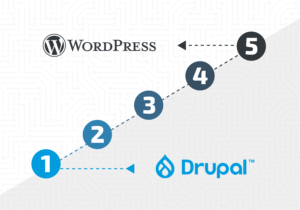
Two of the most popular CMSs are WordPress and Drupal. If you are planning on using either of these for your next website, there are a few things you should know. Both systems are great, but which one will fit your needs? The infographic below should be able to help you decide if WordPress or Drupal is the right CMS for your needs.

Should You Choose WordPress or Drupal?
Hall Internet Marketing – Should You Choose WordPress or Drupal?

You can embed this infographic on your blog or website: