Vision: Social Media and SEO News and Tips for B2B

5 Ways to Amplify User Experience on the Web

April 30th, 2010 by Jenika

Hopefully, when you designed and developed your website you gave some thought about how your users would interact with the site. The type of experience your visitors have is extremely important – it can be the deciding factor on whether or not they will do business with you. However, when a user has a good experience on your website it leads to trust and loyalty and even an increase in sales.

Whether you are designing a brand new website, redesigning, or just have some web maintenance that needs to be completed, you should always keep in mind who your users are and how they will be using your site. You can balance the goals you’ve set out for your website with the goals your users have when they are using your website.

There are so many ways to enhance user experience on the web. Here a few things to keep in mind when thinking about creating the ultimate experience for your web users:

1. Easy to Find Resources
Make the key areas of your website easy to find and access. Always make sure the information on your site is organized in a manner that is logical to the user. Try not to bury content using sub-sub-sub pages – you don’t want your users to feel like they need a treasure map to navigate your site.

Netflix
photo credit: Brymo

2. Customize & Personalize
Some websites allow the user to change preferences and customize the page with information specific to them. When I set up my Verizon wireless account online I was able to select my phone and my plan. Whenever I log in, the options given to me on my home screen always align with the products and services I have available to me depending on my current service plan. Now I don’t have to go searching around to find car charges and phone covers that are adaptable to my phone – Verizon has done it for me. Also, we have seen websites, such as Netflix, have much success personalizing their site by tailoring the movie options for the customer based on previous rentals.

3. Segment Your Users
If you are able to define specific web users that frequent your site, build pages on your website specific to them. Then, once they arrive on your site, filter them to those areas. This allows them to find the resources they are seeking easier and more efficiently.

4. Relatable
This can refer to the design and the language that you use on your website. You need to know who your users are and design your site in a way that makes them feel comfortable. Layout, color scheme, font, and imagery can help create an environment that relates to the demographic that uses your site. If there is data available to understanding how your users consume content, keep that in mind as well for help creating the layout. For example, there are very distinct differences on ESPN’s website and Martha Stewart’s website, based on the fact that there are two very different demographics using the sites.

Road Sign
photo credit: pursuethepassion

5. Good Navigation and Site Search
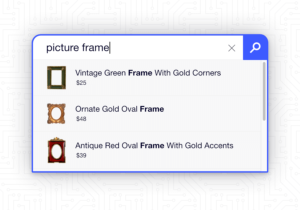
Poor navigation can crush a user’s experience on your site. A user should always know where they are, where they have been and where they want to go when they are on your site. We all know how frustrating it is to get lost when driving in unfamiliar territory, so make sure you use signals and give clear direction. If you have a particularly large website with many pages, a good site search function could come in handy. Think about it, if you have an e-commerce site and someone can’t find the product they are looking for (in a timely manner) they will not purchase it and you’ve lost a sale to your competitors.

User experience goes hand in hand with good customer service and in one way or another. In all human business, there is a level of customer service that is expected and desired. Any time we interact with a person representing a business it alters the perception we have of that business. The same is true for your website. When people come to your website you want to ensure they feel at ease and can easily reach their goals; whether they are researching or purchasing. You want them to leave your site knowing that they can conveniently find what they are looking for using your site and a good perception of who you are as a business.

Effective Client Testimonials

April 9th, 2010 by Jenika

People are doing their homework before they purchase a product or commit to working with a company. They are asking their friends for feedback and researching products, services and companies online.

The best thing you can do is to be aware of reviews people are putting out there (google your company every now and then) and make sure you provide effective success stories and testimonials that can be found on your site.

Using client testimonials on your site builds trust and credibility in your business; it shows that others value the service that you provide or the product you sell. A recent blog post, The Secret Life of Testimonials, published by copyblogger, discusses making testimonials more believable by using a “reverse testimonial” method. They suggest that admitting skepticism in the product or service in the beginning may, in fact, make your testimonial more compelling. The article makes some good points about using testimonials in the same manner that we talk to our friends about products we buy or services we use.

After working with a client or selling them a product you should request their feedback and ask for permission to use it on your website. Not only will the feedback help you improve your goods and services, but by putting it on your website you can provide future customers with an idea of what they can expect from your products or what it’s like to work with you.

Here are a few things to keep in mind when you put a testimonial on your website:

Use real people.

Include the customer’s  name and location with the testimonial. If it’s in context, add the  business name and a link to the company’s website. This shows that other people back up your work and builds credibility for your business. Be sure to ask for permission before putting this information on your website.

Keep it simple.

When you receive a testimonial from a client, you may need to refine it (with their permission, of course). Don’t use industry jargon, use the language you would use when you talk to your friends; in layman’s terms. Steer away from including overenthusiastic praises and overused adjectives. Do you ever watch those infomercials and notice how “passionate” the customers are and you ask yourself, “Real person or actor?” Most people can spot a phony right away, so make sure that the testimonial won’t sound fake to others. An authentic, easy to read testimonial should only include the most necessary information to relay a clear picture of the way the person felt about the product you delivered or the service they received.

Use examples.

Make the testimonial helpful by using examples of how your product or service has benefited them. Explain what their business was like before they bought your service or problems they were having before they purchased your product. You can enhance a testimonial by including hard evidence your client has noticed, like an increase in sales or the ability to provide better customer service.

Short and sweet.

No one likes to read a text-heavy website page, we are skimmers. Keeping your testimonials short and sweet (and to the point) increases the likeliness that people will actually read them. When refining a testimonial provided by the client, you should try to take key points that will demonstrate conclusive evidence.

Sometimes you don’t even have to ask for client feedback to gather a good testimonial for your site. If you get an email from a client you are working with who acknowledges your attention to detail or the timeliness of your responses, ask them if you can display their compliment on your site. Clients may also thank you publicly on Twitter or Facebook by tweeting or posting an appreciative message that you may want to re-purpose as a testimonial for your site.

Ask for permission.

Always, always, always ask for permission before putting someone’s personal information or a testimonial they have written on your site. Always. Nuff said.

Where to put testimonials?

Many websites use a specific page dedicated to testimonials and success stories. You might also want to think about matching a testimonial with the content on the page. For example, put a testimonial about someone’s experience with a product on the product specific page. This benefits the user because while they are obtaining information about the product they can see how it has positively effected someone else.  (Little secret, it might even help increase your website’s goal conversions.)

Using client testimonials will help build trust in your business, but they must be constructed and refined properly to be effective. They don’t have to be filled with fluff; just simple and factual so people will read them, and probably believe them. Then, most importantly, validate those testimonials with the work that you do and the products you provide.

A Content Management System is Just a Tool

April 7th, 2010 by Alayna
Tools
Photo Credit: geishaboy500

More and more these days I am finding that clients are coming to developers with requests for using specific content management systems for their new site before they even think of what they want on their site. For example, “I would like a Wordpress/Joomla/Drupal site because everyone uses them and I heard that there is a great community around it.”

Any of those may be the perfect tool for many, but did that person think about what will happen if his site changes direction? What if that person wants to add community management or other custom tools? The original CMS choice may not be the best solution after all. There are many great CMSs out there to get any job done, but they are all essentially just tools.

Before you even begin to think about which system you want to use, make sure you have a solid goal for your website and a strategy in place to reach it.

Get Your Goals in Order

The first step to creating your new website is to think of your goals, both for the site launch and in the future. Why do you want a website? What will it do for your business? Consider your target audience and why they would want to visit your website. Spend time thinking about what you want your visitors to do once they are on the site and what impression they will get from your site. Don’t just put up a website because everyone has a website now-a-days and you just “need” one to survive. Make sure your website is up on the web with a purpose!

What is Your Strategy?

Once you have determined what you want to achieve from your site, plan a strategy to get there. Decide what type of content you will be putting on the site and come up with action items that will get visitors to interact with your company in the way that you want. Think about how will you be highlighting your products and services so that visitors will complete the action you have intended for them. Don’t get caught up in the details of “how” yet, figure out what you will be communicating and the response you want first.

Find that CMS!

Now that you have determined your website goals and overall strategy you can start thinking about the tools you intend to use to reach those goals. Create a list of requirements for your website. Did you decide that you are going to use images to display your product? Then make sure a photo gallery is listed as a requirement. Will customers be contacting you through the website? Add a contact form to your list. Think carefully about all the tools you will need to achieve your goals. If you are not sure what the best tool will be to help you with your strategy then brainstorm what you would envision on the website. Your web team can help you determine what tool will best fit your vision.

Of course picking the best CMS for your site is quite a process in itself. But if you know exactly what you need it to do for you then you should be able to select one that will work perfectly. Having the correct tools will be a great help in achieving your web goals, but no matter how great the CMS is, it can not make up for a poor web strategy.

3 Reasons Not to Use Email Links on Your Website

March 30th, 2010 by Mike

“Email Links” are the links on your website that when clicked, open your local email client with the recipient’s email address pre-filled out in the message. Usually it is an address that is posted on your website and looks just like any other link on your site (just like this).

While this is a widely used method of contact on the interwebs, it is not the best option available to you. They are the simplest form of communication between a user and company, but when the cons of this method are introduced you can start to see why your other options are better.

  1. Spam Scrapers are little robots that come to your website and look for email addresses they can spam. When you have “Email Links” on your site, that address is vulnerable to these attacks. Coding Languages like JavaScript can be used to hide this information from the Scrapers though.
  2. Not everyone has a Desktop Email Client installed on their machine. “Email Links” use a locally installed Email Clients like Microsoft Outlook or Mozilla Thunderbird to send mail. If your user does not have one of these programs installed, these links will be useless to them, and will not work as you intended. This problem can create unnecessary support calls for you and your team about “website issues”.
  3. Managing your Business Contacts is becoming more and more important in today’s fast moving business world. When using “Email Links” on your site, you have to manually add each new contact that you receive mail from into your Contact List or System. This process is cumbersome and time consuming.

The most efficient way for users to contact you on your website are using Contact Forms. Contact Forms are more specific, and give you the opportunity to ask specific questions of the user. The addition of required fields allows you to guarantee you get all the information necessary for you Contact List or System. Generally you want to keep the required questions to a minimum, as the more information you require, the more users will decide to not fill out your form.

captchaContact Forms solve a lot of the problems with “Email Links”. The use of a Captcha Field on a Contact Form allows you to fool most Spam Scrapers and Robots trying to spam your email address. Captcha Fields are the images of letters, numbers, and words you sometimes see at the bottom of forms you fill out when surfing the internet.

Contact Forms are processed entirely in your Internet Browser and do not require any third party software in order for the user to complete. The information filled in by the user is automatically emailed to the specified email address for that form.

Contact Forms also make it much easier to automatically update the user’s contact information into your preferred system. This information can be stored in a number of different ways including but not limited to: Databases, Text Files, XML Data Sheets, etc. Hall has created a product called Contact that tracks all of your email contacts on any form filled out on your website. All the data is stored in an easy to access admin section, with options to view or export data from all your forms or any specific form on your website.

Bring your website back up to speed by switching to Contact Forms. You will save yourself the hassle of answering unnecessary support calls, reduce the amount of spam you receive in your email inbox, and will have the opportunity to start collecting your client contact information automatically. It’s a win-win-win.

What is Vision?

Insights on business strategy, web marketing and social network marketing specifically for B2B companies.

Search Vision

Subscribe via RSS Subscribe via RSS

Follow Hall Web Services on Twitter Follow us on Twitter

connect with us on Facebook Connect on Facebook

Receive Weekly Internet Marketing Tips via Email


Enter your email address to sign up for internet marketing blog updates every Friday